A Dynamics 365 CRM implementation has eight recognizable phases, whether it’s delivered in four weeks for a small sales team or four months for a multi-department rollout. Knowing what happens in each phase, and roughly how long it should take, is the single best defense against the two most common failure modes: a rushed go-live that skips discovery, and an endless project that never quite finishes configuration. This checklist walks through each phase in order, with the questions to ask and the work products you should expect to see at each stage.
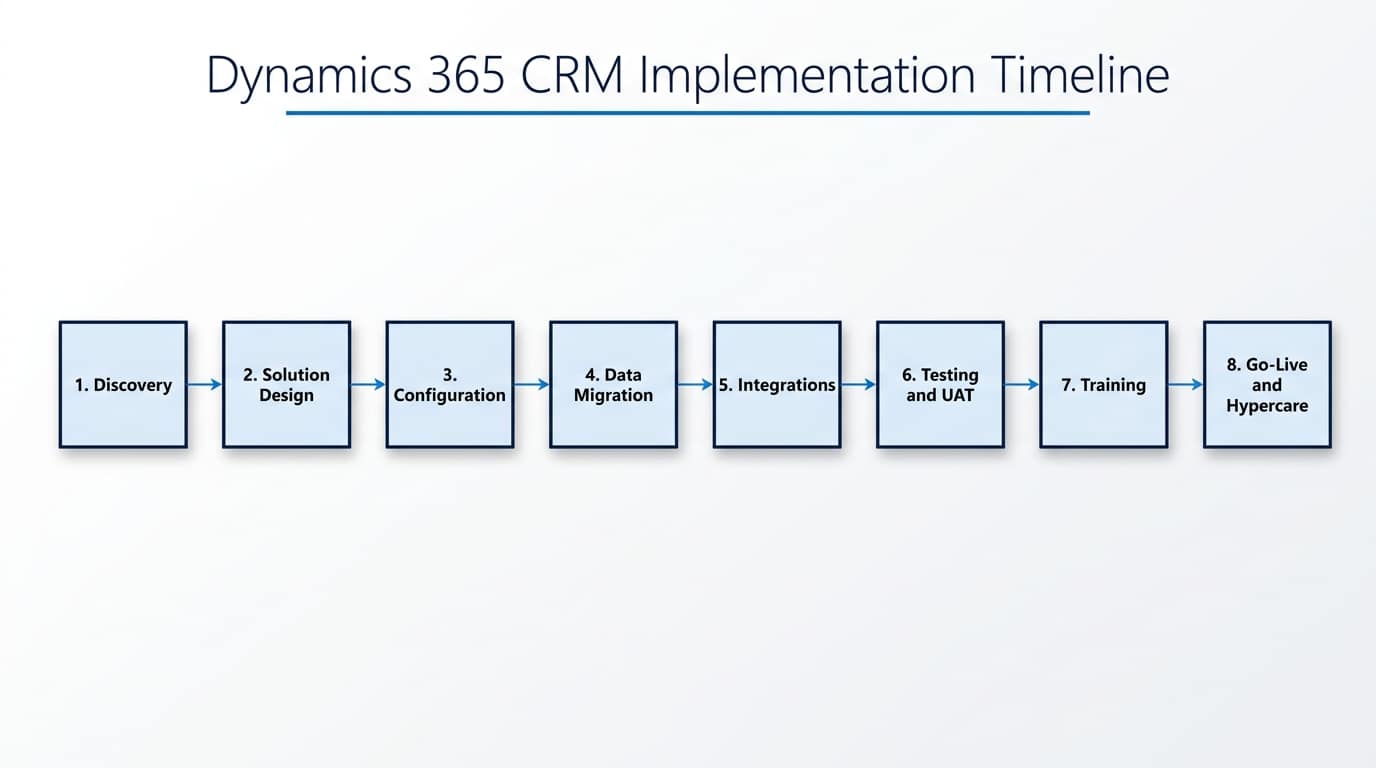
The Eight Phases at a Glance
The sequence below follows the same review-checkpoint structure Microsoft lays out in its own Success by Design implementation guidance. A focused Sales or Customer Service rollout for a small team can compress the first six phases considerably; a multi-app project with heavy data migration stretches them out. Either way, skipping a phase rather than shortening it is where most timeline problems start.
| Phase | What Happens | Typically Skipped or Rushed? |
|---|---|---|
| 1. Discovery and Requirements | Current-state process mapping, stakeholder interviews, success criteria | Most commonly skipped entirely |
| 2. Solution Design | Data model, security roles, process flows, integration points defined | Often rushed under a fixed-price quote |
| 3. Configuration and Build | Environment setup, forms, views, business process flows, automations | Rarely skipped, sometimes over-built |
| 4. Data Migration | Extract, clean, map, and load records from the legacy system | Consistently underestimated |
| 5. Integrations | Connect CRM to email, finance, marketing, or other line-of-business systems | Scope often grows mid-project |
| 6. Testing and User Acceptance | Scripted test cases plus real users trying real scenarios | Most commonly rushed |
| 7. Training and Change Management | Role-based training, documentation, adoption planning | Frequently cut short near go-live |
| 8. Go-Live and Hypercare | Cutover, and a defined period of close post-launch support | Hypercare is often skipped outright |
Phase 1: Discovery and Requirements
Discovery is where a partner maps how your business actually works today, not how a generic CRM template assumes it works. That means structured interviews with the people who’ll use the system daily, not just their managers, and a clear, written definition of what success looks like before any configuration starts.
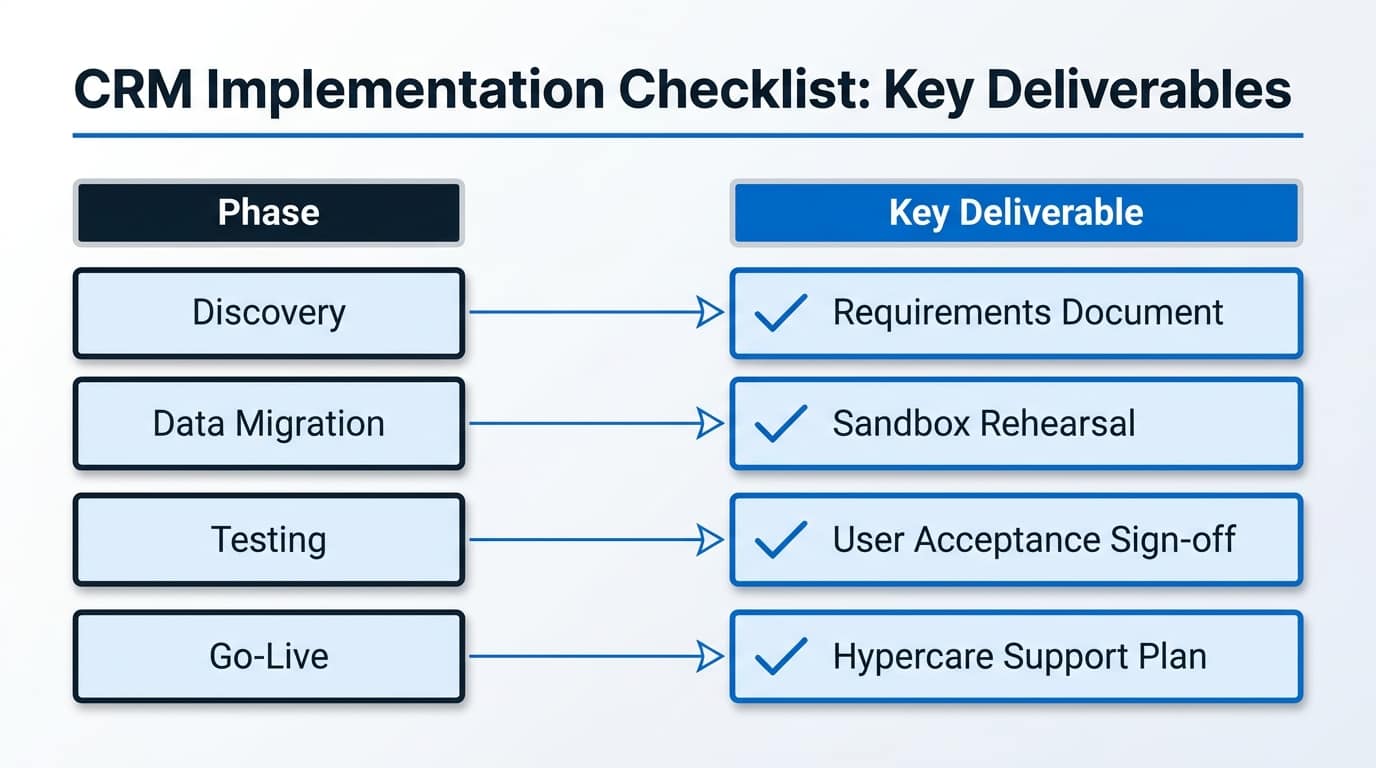
The output of this phase should be a requirements document you can hold the rest of the project against: the sales or service processes to be supported, the data that needs to migrate, any systems that need to connect, and the specific metrics that will tell you the implementation worked. If a partner proposes to skip straight to configuration after a single kickoff call, that’s a warning sign covered in more depth in our guide to what to look for in a Dynamics 365 partner.
Phase 2: Solution Design
Design translates discovery findings into a concrete blueprint: which entities and fields you need, how security roles and business units are structured, what business process flows guide users through each stage, and where automation replaces manual steps. This is also where integration points get identified, even if they’re built later, so the data model doesn’t need reworking mid-project.
A common mistake here is importing a security model designed for a much larger, more complex organization. CRM implementations usually need a simpler ownership structure than ERP projects; over-engineering this phase adds time without adding value.
Phase 3: Configuration and Build
Most of Dynamics 365 CRM is configured, not custom-coded: forms, views, business process flows, dashboards, and Power Automate flows for routine automation. Custom development should be the exception, reserved for genuinely unique requirements standard configuration can’t cover; our guide to features that boost sales performance covers what’s available out of the box before you reach for custom code.
Build this in a sandbox environment separate from production, and review progress against the design document from Phase 2 at regular intervals rather than only at the end. Catching a design gap during a mid-build review costs far less than catching it during user testing.
Phase 4: Data Migration
Data migration is consistently the phase most likely to run over its estimate, because the real work isn’t the technical transfer, it’s deciding what to bring across in the first place. Ten years of stale contacts and duplicate accounts don’t become more useful by moving into a new system; migrating only clean, actively-used data keeps the new CRM usable from day one.
If you’re moving from Salesforce or HubSpot specifically, expect extra mapping work around opportunity stages, custom fields, and historical activity records; our Salesforce to Dynamics 365 migration guide covers the specific pitfalls in that scenario. Always run at least one full migration rehearsal into a sandbox before the real cutover, so surprises show up before go-live rather than during it.
Phase 5: Integrations
Common CRM integration targets include email and calendar (usually built in via Outlook integration), marketing platforms, finance or ERP systems for order-to-cash visibility, and increasingly, AI agents that need controlled read access to CRM data. Each integration should be scoped and tested independently rather than bundled into one large, hard-to-debug cutover step.
Every integration should authenticate through an Azure AD app registration with permissions scoped to what it actually needs, the same principle covered in our Business Central integration architecture guide, which applies equally on the CRM side.
Phase 6: Testing and User Acceptance
Two kinds of testing both matter here, and neither substitutes for the other. Scripted testing confirms the system does what the design document said it would: a lead converts correctly, a business process flow enforces its required fields, a workflow fires on schedule. User acceptance testing puts real end users in front of real scenarios from their actual job, which is where you find the gaps a written test script never anticipated.
Budget real calendar time for this phase, not a single afternoon squeezed in before go-live. Issues found here are still cheap to fix; issues found after go-live cost user trust as well as engineering time.
Phase 7: Training and Change Management
Training that’s role-based beats training that’s generic: a sales rep needs to know the opportunity pipeline and quoting flow, not the admin panel. Pair live training sessions with short reference documentation people can return to after go-live, when the questions that actually matter start showing up.
Adoption, not the technical build, is usually what determines whether a CRM implementation succeeds or fails. A system nobody uses daily delivers no value regardless of how well it was configured.
Phase 8: Go-Live and Hypercare
Cutover should happen at a planned, low-activity time, with a clear rollback plan in case something goes wrong. But go-live day isn’t the finish line: hypercare, a defined period of close, responsive support immediately after launch, is where the small issues that only show up under real usage get caught and fixed before they become habits or workarounds.
A reasonable hypercare window is one to two weeks of daily check-ins, tapering to the normal support model once things stabilize. Skipping hypercare to save cost is one of the more common ways an otherwise well-built implementation earns a reputation as “the system nobody likes,” and it’s one of the first things worth checking if a project starts showing signs of struggling months after go-live.
The One-Page Checklist
Use this as a quick reference against a proposal or an in-progress project:
- A written requirements document exists before any configuration starts
- Security roles and business units are scoped to CRM’s needs, not imported from an ERP template
- Data migration scope is explicitly limited to clean, actively-used records
- At least one full migration rehearsal runs in a sandbox before cutover
- Every integration authenticates through a scoped Azure AD app registration
- Both scripted testing and real-user acceptance testing are scheduled, not squeezed in
- Training is role-based, with reference documentation for after go-live
- A hypercare period of at least one to two weeks is planned and staffed
Frequently Asked Questions
How long does a Dynamics 365 CRM implementation actually take?
In our experience, a focused Sales or Customer Service rollout for a small team typically takes four to eight weeks from kick-off to go-live, as covered in our Dynamics 365 partner selection guide. Multi-app projects with heavier data migration or several integrations commonly run longer.
Which phase most often causes delays?
Data migration and testing are the two phases most commonly underestimated. Migration takes longer than expected because deciding what data to bring across is harder than the technical transfer itself; testing gets compressed when earlier phases run late, which is exactly the wrong phase to shortcut.
Can phases run in parallel to save time?
Some overlap is normal, training material can be drafted during build, for example, but discovery must finish before design starts, and testing can’t meaningfully begin until configuration is functionally complete. Treat the sequence as a dependency chain, not a checklist to shuffle freely.
Do we need a formal project manager for a small implementation?
Not necessarily a dedicated full-time role, but someone on your side needs clear ownership of decisions and timeline, distinct from the partner’s project lead. Implementations without a clear internal owner are the ones most likely to drift.
Getting Started
If you’re scoping a Dynamics 365 CRM project and want a realistic timeline for your specific requirements, AlishBit designs and delivers Dynamics 365 Sales implementations for businesses across Spain and Europe, from a single-team rollout to multi-app deployments.
Planning a Dynamics 365 CRM Implementation?
Book a free consultation and get an honest, phase-by-phase read on your timeline and scope.